ZEReader
Building a hackable open-source EPUB Reader
ZEReader is an open-source hardware and software E-Reader platform. Originally developed as my bachelor’s thesis in electrical engineering, it has since evolved into a dedicated hobby project. The goal is to create a hackable and customizable, microcontroller-based E-Reader platform.
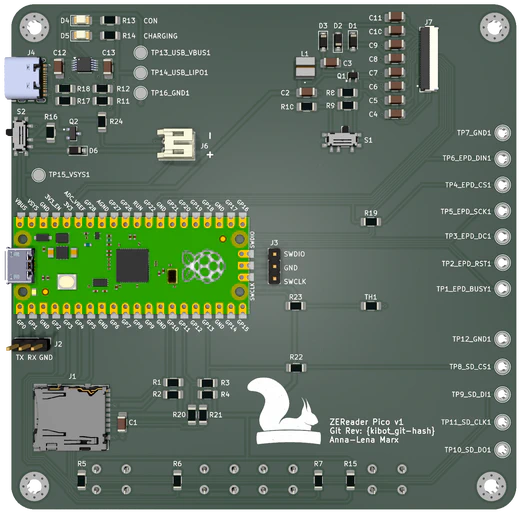
The Idea Behind
Most E-Readers today are based on Linux or Android, which is often overkill for a device designed simply for reading. Inspired by the Open Book Project, this led to a key question: could a simple, microcontroller-based E-Reader get the job done just as well?
This idea became the core of my bachelor’s thesis. Using a microcontroller provides a much more efficient platform, which lays the groundwork for a significantly longer battery life. It also minimizes the attack surface, creating a more secure device that cannot execute additional third-party code at runtime.
The Firmware - Powered by Zephyr
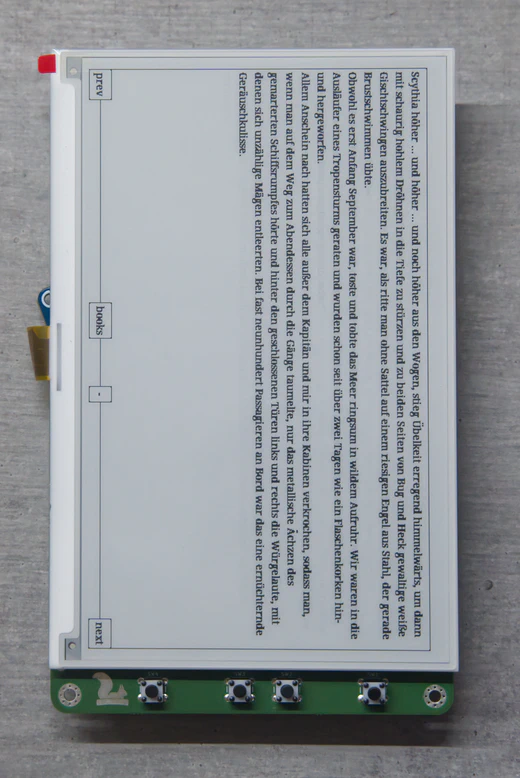
The ZEReader firmware is built on the Zephyr Real-Time OS. As a student with a primary focus on the hardware development during my thesis, I needed a robust software framework that offered a high level of abstraction and a large ecosystem of pre-built drivers. Zephyr provided exactly that, allowing me to bypass the tedious work of writing every driver from scratch.
This freedom let me concentrate on the core question of my thesis: is it truly feasible to handle EPUB files on a microcontroller’s limited resources? The firmware is a work-in-progress and not yet ready for daily use, but it’s actively developed and currently supports a foundation of essential E-Reader features:
- Reading unzipped EPUB files: The firmware can open and display the contents of a pre-unzipped book.
- Navigate through a book: You can browse forwards and backwards page by page.
- (Very) Basic HTML parsing: This is a significant technical challenge on a microcontroller, but the firmware can parse and render basic formatting elements.
- Save and resuming progress: Your current reading location is saved so you can pick up exactly where you left off.
- Switching between books: The firmware supports a simple library function to switch between different titles.
Open-Source Hardware Development with KiCad
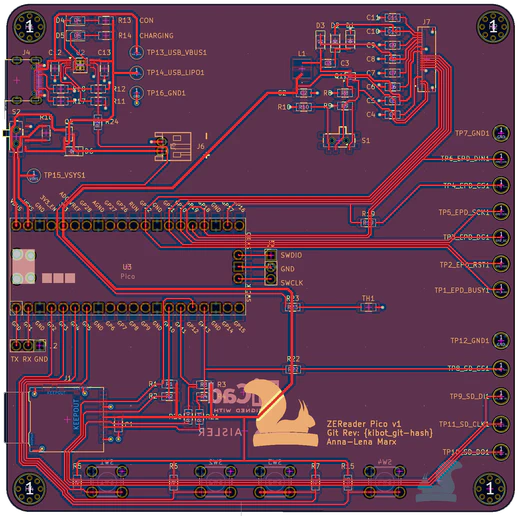
The ZEReader PCB, a key part of the bachelor’s thesis and the whole project, was designed using KiCad. A crucial design decision was selecting components with existing driver support in Zephyr to accelerate development. To minimize risk, this first revision uses a Raspberry Pi Pico 2 module to ensure the microcontroller’s functionality from the start.
The board integrates all essential components:
- A USB-C connector for power and battery charging (Note: the interface does not currently support data transfer or programming).
- A charging controller for a LiPo battery.
- A circuit for the display driver providing the high voltage needed by the e-Paper technology.
- A microSD card slot for persistent storage and control buttons for operation.
This first PCB revision is a functional and usable prototype, but like any initial version, it has several design flaws. Work on the next revision has already started, so a big thank you to AISLER who support me with prototyping PCBs, and stay tuned!
To the KiCad Files! Checkout AISLER!Recent Blog Posts
A Gentle Power Off for ZEReader: Replacing the Hard Switch with a Latching Power Circuit
- Anna-Lena Marx
- November 16, 2025
- Zereader , Electronics , Embedded
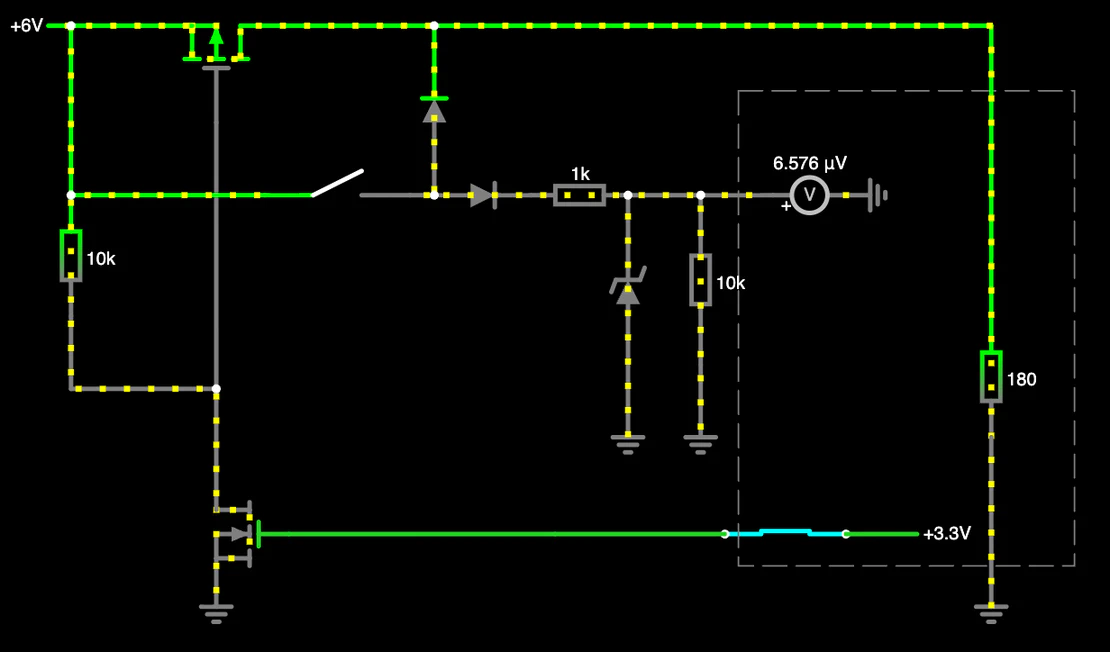
With the second revision, the way ZEReader is turned on and off got a massive redesign.
The hard on/off switch in the first revision was dead simple and worked great—with one big flaw from a user’s perspective. You could not recognize if the reader was on or off on the first sight. The old switch just closed or opened the loop with the power supply, and due to the E-Paper display just holding the state, you had no chance to tell.
Besides, there was no possibility at all to implement some kind of graceful shutdown mechanism, which would allow me to save all important state information and show a clear device off indicator.
This situation was totally fine for the very first prototype, but it started to get annoying very soon. A new approach was needed!